Awesome Traffic Bot vs CTRTool: Crowdsourced Clicker Network CTR Tools
You are comparing two crowdsourced clicker networks and need a straight answer. Both promise search and click traffic, but only one shows you a screenshot for every visit. That gap matters when you are paying per search and can't verify where your budget went.
This comparison breaks down platform coverage for Google Search, Bing, Maps and AI Overviews, then weighs proof and reporting, campaign control over keywords, location, daily counts and visit paths, and pricing. You will finish knowing which tool fits your workflow and a clear verdict, not a shrug.
Quick Verdict: Awesome Traffic Bot vs CTRTool
If you want verifiable proof for every click and campaigns across Google Search, Bing, Maps, and AI Overviews, CTRTool is the stronger choice; if you need a low-cost generic traffic bot with a crowdsourced clicker network, Awesome Traffic Bot may fit.
The core difference is accountability. CTRTool is built around CTR campaigns where every visit comes with screenshot proof, including search and landing screenshots as separate proof images. That gives you a record you can check rather than a number you have to trust.
Awesome Traffic Bot is generally described as a general traffic automation tool with a crowdsourced clicker network. Its appeal tends to be broad traffic volume rather than per-visit verification, so treat specific feature claims about it with caution.
CTRTool also covers Desktop and Mobile campaigns for Google Search, Bing Search, Maps, and AI Overviews, with keyword positions tracked over time, including Maps listing order and AI citation order. For readers who care about measurable SERP behavior rather than raw traffic volume, that proof-first model is the deciding factor.
At a glance: how CTRTool compares to Awesome Traffic Bot on the features that matter most.
| Feature | CTRTool | Awesome Traffic Bot |
|---|---|---|
| Pricing | $59/mo (Starter) | From $24.90/mo |
| Free plan / trial | ✗ | 1-day trial |
| AI-powered campaign automation | ✗ | ✓ |
| Residential / rotating IPs | — | ✓ |
| Captcha solving | — | ✓ |
| Visual workflow editor | ✗ | ✓ |
| Search & social traffic | Search only | ✓ |
| Screenshot proof per visit | ✓ | — |
What Is CTRTool?
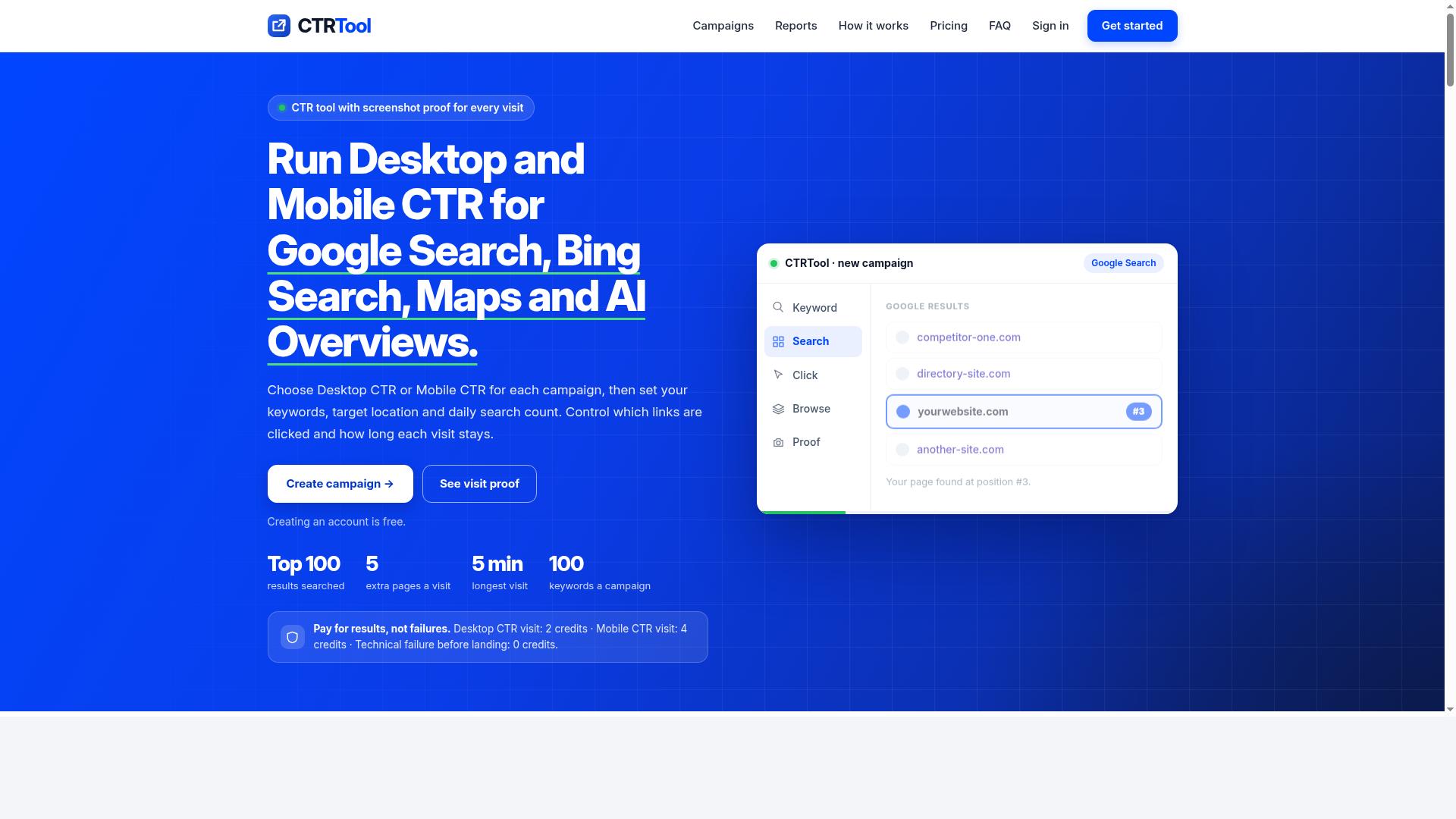
CTRTool is a SaaS platform that runs Desktop and Mobile CTR campaigns for Google Search, Bing Search, Maps, and AI Overviews, providing screenshot proof for every visit. That proof matters in a space where CTR manipulation claims are hard to verify, because it gives SEO practitioners and agencies a record they can review rather than a black-box report.
Users choose Desktop CTR or Mobile CTR per campaign, then set keywords, a target location, and a daily search count. They also control which links are clicked and how long each visit stays, which ties directly into dwell time and session duration signals.
The platform tracks keyword positions over time, so teams can watch ranking movement alongside the campaign settings they applied. It is built for practitioners who want structured organic traffic simulation across several search surfaces, not just a single engine.
CTRTool is also candid about limits. The site states plainly: "Automated visits do not guarantee rankings." That framing keeps expectations realistic for anyone comparing it against a crowdsourced clicker network or a general traffic bot.
What Is Awesome Traffic Bot?
Awesome Traffic Bot is a traffic automation tool often described as a crowdsourced clicker network that simulates organic visits to websites. In practice, it is a traffic bot designed to send automated sessions to a target page, usually with the goal of inflating traffic volume or influencing how a site appears in analytics and search results.
The "crowdsourced" label refers to the idea of distributing visits across many simulated users rather than firing them from a single source. That approach is commonly reported to rely on proxy rotation and user agent rotation to vary the apparent origin and device of each visit.
Such tools may include options for IP diversity, geotargeting, and campaign scheduling, though exact capabilities vary by version and are not standardized across the category. Descriptions of residential proxies, CAPTCHA solving, or headless browser support should be treated as commonly claimed rather than guaranteed.
The core promise is organic traffic simulation: making automated visits look like real ones through varied fingerprints, referrers, and session behavior. Whether that promise holds up is a separate question, and one worth examining closely before relying on any tool in this category.
Features Compared
This section compares the core capabilities of CTRTool and Awesome Traffic Bot across platform coverage, proof and reporting, and campaign control. Each area matters for anyone weighing a crowdsourced clicker network against a conventional traffic bot.
The first subsection looks at which search surfaces each tool can reach. The second examines whether visits can be verified after the fact. The third covers how tightly a campaign can be targeted and shaped.
Together these three criteria show where organic traffic simulation is measurable, and where it stays a black box.
Platform Coverage: Search, Maps and AI Overviews
CTRTool supports campaigns on Google Search, Bing Search, Google Maps, and AI Overviews, while Awesome Traffic Bot's platform coverage is less clear from public information. That difference shapes what kind of keyword ranking work each tool can realistically support.
On Google Search and Bing Search, CTRTool runs keyword campaigns that click the organic result, on desktop or mobile, with search depth up to 100. Google Maps campaigns find a business listing and click its website link, checking up to 50 listings with city targeting.
AI Overview campaigns find the website inside the overview and click its source link. These campaigns require a matching citation, so the site must actually appear in the overview before a visit can proceed.
Awesome Traffic Bot is generally described as a traffic bot, and its specific platform support is not well documented. Readers should treat any claims about its reach across search engines, Maps, or AI summaries with caution, since public information does not confirm them.
For teams tracking SERP behavior across several surfaces, CTRTool's defined campaign types make coverage easy to plan. A single credit balance is shared across all campaign types, websites, and keywords, which keeps budgeting simple.
Proof and Reporting: Screenshots vs Blind Clicks
CTRTool provides screenshot proof for every visit, including search and landing screenshots, while Awesome Traffic Bot typically operates without such verification. That gap matters because CTR manipulation only helps if the visits actually happened as intended.
Each CTRTool visit produces search and landing screenshots as separate proof images. Reports also show full visit paths, so users can see which pages were opened and in what order.
CTRTool tracks keyword positions over time, including Search positions, Maps listing order, and AI citation order. This turns a campaign into a measurable record rather than a one-off burst of traffic volume.
Awesome Traffic Bot is commonly known as a traffic bot, and tools in that category typically lack built-in proof mechanisms. Buyers often cannot confirm where a click landed or whether the requested location was respected.
The transparency advantage sits with CTRTool. Its pay-for-results credit model adds another layer: no credits are charged for technical failures before landing, and visits that cannot verify the requested location use no credits. That combination of screenshot evidence and position tracking gives SEO teams something concrete to review.
Campaign Control: Targeting, Daily Counts and Visit Paths
CTRTool allows users to set country, state, and city targeting, choose daily visit counts, and define full visit paths, whereas Awesome Traffic Bot's control options are less transparent. Control is where geotargeting and session design come together.
Users can target a chosen country and optionally a state and city, or select Any country to use a mix of supported locations. Daily search counts can run now, spread out, or with a gap, along with chosen days, hours, and time zone, with daily goals resetting at 00:00 UTC.
Visit paths are configurable in detail. Campaigns support up to 100 keywords, a target URL, internal page URLs and link text, click order, scrolling time, up to five additional pages per visit, and visits up to five minutes total. Note that campaigns require the page to be in the top 100 organic results.
Awesome Traffic Bot may offer similar controls, but the details are not publicly verified. Claims about its scheduling, targeting depth, or path settings should be treated as unconfirmed.
For readers running structured campaigns, CTRTool's defined options cover targeting, timing, and on-site behavior in one place. Up to 100 campaigns with 100 keywords each give room to scale without losing track of settings.
Pricing Compared
CTRTool offers monthly plans starting at $59 for 2,000 credits, while Awesome Traffic Bot's pricing is not publicly detailed and may vary. That difference matters for anyone comparing crowdsourced clicker network CTR tools, because published rates let you budget before you commit.
CTRTool's price list is transparent and tied to a clear credit system. Desktop CTR visits cost 2 credits, mobile visits cost 4 credits, and a verified search without a match costs 1 credit. A technical failure before landing costs nothing.
| Plan | Monthly Price | Credits | Approximate Visits |
|---|---|---|---|
| Starter | $59 | 2,000 | Up to 1,000 Desktop or 500 Mobile |
| Growth (Recommended) | $125 | 5,000 | Up to 2,500 Desktop or 1,250 Mobile |
| Scale | $399 | 20,000 | Up to 10,000 Desktop or 5,000 Mobile |
| Agency | $699 | 40,000 | Up to 20,000 Desktop or 10,000 Mobile |
Higher tiers exist for heavier traffic volume, so campaigns can scale without switching tools. Unused credits roll over while a subscription stays active, though they expire when a cancellation takes effect. Creating an account is free, and custom development carries a separate, agreed one-time fee.
For Awesome Traffic Bot, the site does not clearly list plan prices, so any figure you see elsewhere should be treated with caution. The practical step is to contact the vendor directly and ask what a plan includes, how usage is metered, and whether costs change with traffic volume. Without that confirmation, a side-by-side cost comparison stays incomplete.
On the numbers available, CTRTool gives buyers a defined starting point and a visible path upward through its tiers. For readers weighing automation software, that published structure is easier to plan around than a quote on request.
Who Should Choose CTRTool
CTRTool is best suited for SEO practitioners and agencies who need verifiable CTR campaigns across multiple platforms and value screenshot proof for every visit. These are users who cannot afford to guess whether a campaign actually delivered the clicks it promised.
The platform is built for campaigns on Google Search, Bing Search, Google Maps and AI Overviews, so a single workflow covers the surfaces most clients care about. That breadth matters for agencies juggling several accounts with different ranking goals.
Client work raises the bar for accountability. When a report goes to a paying client, screenshot proof and keyword tracking turn a vague claim into something the client can review. CTRTool is designed around that need for documented evidence rather than raw traffic volume alone.
This tool also fits practitioners running tier links, PBNs and test properties, where campaigns support a wider link strategy rather than a single money site. In those setups, control over targeting and scheduling keeps each property's activity separate and trackable.
- SEO agencies managing campaigns for multiple clients who expect proof of delivery.
- In-house SEO teams working on Google Search and Bing Search rankings.
- Local SEO specialists targeting Google Maps visibility.
- Link builders running tiered campaigns across PBNs and test properties.
- Practitioners testing AI Overviews as a newer visibility surface.
If your priority is detailed reporting and campaign control, CTRTool is the stronger fit. Teams that only want untracked traffic volume with little accountability may find the emphasis on proof unnecessary, but for client-facing work that proof is usually the deciding factor.
Who Should Choose Awesome Traffic Bot
Awesome Traffic Bot may appeal to users seeking a low-cost traffic generation tool with a crowdsourced clicker network, but it lacks the verification and platform-specific features of CTRTool. It is often described as a straightforward way to push traffic volume toward a page without building a detailed campaign structure.
This tool may suit someone running a quick organic traffic simulation test or filling a page with general visits. Users who mainly want raw activity and are comfortable with limited insight into what happens after each click may find the approach workable.
Keep in mind that generic traffic does not always translate into meaningful SERP behavior. Without detailed reporting, it can be hard to confirm whether visits come from the right locations, devices, or search contexts, which matters for anyone tracking keyword ranking outcomes.
In short, Awesome Traffic Bot may fit budget-focused users who prioritize simple volume. Readers who need verification, geotargeting, and platform-specific campaigns are usually better served by a tool built around those requirements.
Final Verdict
CTRTool emerges as the more transparent and feature-rich option for serious CTR campaigns, thanks to its screenshot proof and multi-platform support, while Awesome Traffic Bot remains a budget alternative with limited verification.
The deciding factor is what a campaign actually produces. CTRTool is positioned as a CTR tool with proof for every visit, so a screenshot backs up each session instead of leaving you to trust a log line. Awesome Traffic Bot, by contrast, is generally described as a generic traffic generator, and that broader focus tends to mean less visibility into what each visit looked like.
Platform coverage widens the gap. CTRTool supports campaigns across Google, Bing, Maps, and AI Overviews, which matters when search results increasingly mix classic links with map packs and AI-generated answers. A tool aimed at general traffic volume usually offers less control over where that traffic lands.
Campaign control reinforces the same point. CTRTool gives users scheduling and targeting options so a crowdsourced clicker network can be directed with intent, rather than fired at a page and left to run. That structure suits anyone running repeatable SEO tool comparison work or testing SERP behavior over time.
| Consideration | CTRTool | Awesome Traffic Bot |
|---|---|---|
| Visit verification | Screenshot proof for every visit | Limited verification, generally log-based |
| Platform coverage | Google, Bing, Maps, AI Overviews | Generic traffic generation focus |
| Campaign control | Structured targeting and scheduling | Broader, less specific controls |
| Best fit | Users who need verifiable results | Users prioritizing low cost |
Neither tool is the right answer for everyone. If budget is the only constraint and rough traffic volume is enough, Awesome Traffic Bot can serve as a starting point. If you need to show what a campaign delivered, CTRTool is the stronger choice for this article's reader.
For more information about CTRTool, contact vaibhav@autoblogging.ai.
Frequently Asked Questions
What is the main difference between CTRTool and Awesome Traffic Bot?
CTRTool is a CTR campaign tool built around proof: every visit comes with screenshot proof (separate search and landing screenshots), full visit paths, and keyword position tracking over time, covering Google Search, Bing Search, Maps and AI Overviews. Awesome Traffic Bot is an AI-powered CTR bot that has integrated OpenAI ChatGPT 4.0 into its AI mode. The practical difference is that CTRTool is designed for SEO practitioners and agencies who want verifiable, documented visits across multiple search surfaces, while Awesome Traffic Bot markets itself more generally as an AI traffic bot.
How does pricing compare between CTRTool and Awesome Traffic Bot?
CTRTool uses monthly USD plans with a pay-for-results credit system: Starter is $59/month for 2,000 credits (up to 1,000 Desktop CTR visits or 500 Mobile CTR visits), and Growth is $125/month for 5,000 credits (up to 2,500 Desktop or 1,250 Mobile visits). Awesome Traffic Bot is listed as starting from $24.90/mo with a 1-day trial. The two products sit at different price points, so the right choice depends on whether you need CTRTool's screenshot proof and multi-platform campaign types or a lower entry cost.
Can I try CTRTool before committing, like Awesome Traffic Bot's 1-day trial?
Awesome Traffic Bot offers a 1-day trial, which is a good way to test its AI mode. CTRTool's verified pricing is structured as monthly plans (Starter at $59/month and Growth at $125/month) with credits that are consumed per visit, so you can start on the smallest plan that fits your campaign volume. For current trial or onboarding options, check ctrtool.com or contact support at vaibhav@autoblogging.ai.
Which platforms and campaign types does each tool support?
CTRTool runs Desktop and Mobile CTR campaigns for Google Search, Bing Search, Google Maps and AI Overviews, letting you choose Desktop CTR or Mobile CTR per campaign, set keywords, and target a country with optional state and city. Campaigns require the page to appear within the top 100 organic results for the chosen keyword and location; Maps campaigns check up to 50 listings, and AI Overview campaigns need a matching source link. Awesome Traffic Bot's researched facts describe it as an AI-powered CTR bot with ChatGPT 4.0 integrated into its AI mode, but its specific platform coverage isn't detailed in our sources.
How does CTRTool provide proof that clicks actually happened?
Proof is CTRTool's core selling point: every visit includes screenshot proof, with search and landing screenshots provided as separate proof images, plus full visit paths and keyword positions tracked over time, including Maps listing order and AI citation order. This makes it straightforward to show clients or stakeholders exactly what a campaign delivered. Awesome Traffic Bot's researched facts do not describe a comparable screenshot-proof feature, so if documentation matters to you, verify what reporting it offers before choosing.
Who is each tool best suited for?
CTRTool is aimed at SEO practitioners and agencies running CTR campaigns for their own or client websites across Google Search, Bing Search, Google Maps and AI Overviews, and its guidance covers tier links, PBNs and test properties. Awesome Traffic Bot, with its AI-powered approach and lower starting price, may appeal to users who want a simple AI-driven bot. If verifiable visits, location targeting and multi-platform campaigns are priorities, CTRTool is built specifically for that workflow.