Is Tasks.Bot Good for Email Automation Software?
You searched for email automation software and landed on a task management tool. That mismatch matters if you need drip campaigns, not WhatsApp reminders. Tasks.Bot runs on WhatsApp, not your inbox, and it is still in beta.
This article breaks down what Tasks.Bot actually automates, including voice notes, AI task creation, and smart reminders. You will also see its field team tools, pricing, and beta status, so you can decide whether it fits your workflow or whether you need a dedicated email platform.
What Is Tasks.Bot?
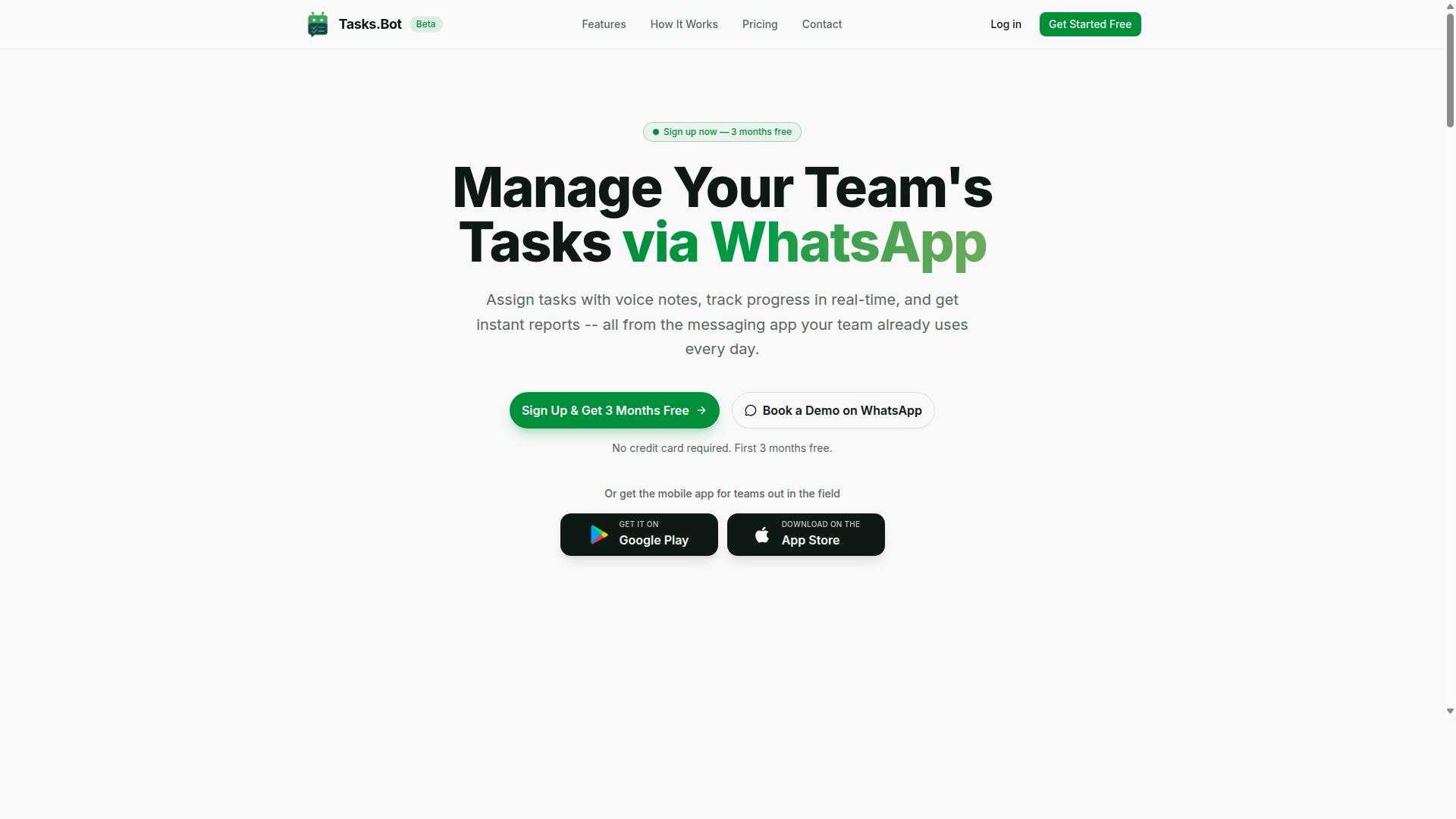
Tasks.Bot is a task management platform that operates entirely within WhatsApp, allowing teams to assign tasks, track progress, and receive reports without leaving the messaging app. Instead of asking workers to learn a new productivity tool with its own login, dashboard, and notification system, it meets them where they already spend their day.
That design choice matters for anyone evaluating email automation software and workflow automation more broadly. Most automation platforms assume users sit at a desk with a browser open. Tasks.Bot assumes the opposite: that the people doing the work are often on the move, checking a phone, and unlikely to open yet another app.
The platform also offers a mobile app for field teams, so organizations that need more than a chat thread have a dedicated option. The service is currently in beta and offers a free trial period, which means teams can evaluate whether the WhatsApp-first approach fits their operations before committing.
For the purposes of this article, the key question is whether a WhatsApp-based task manager belongs in a conversation about email automation. The short answer is that it plays a different role. Tasks.Bot handles the human side of work coordination, while email automation tools handle outbound messaging at scale. Understanding that division of labor is the first step toward judging whether the two can work together.
Who Tasks.Bot Is Built For
Tasks.Bot is designed for teams that rely on WhatsApp for communication, especially those with field staff who need to manage tasks, track attendance, and log payroll-ready hours. The site mentions that hundreds of teams already use the service, which suggests the approach resonates with a specific kind of operation.
Think of businesses where the workforce is distributed across locations rather than seated in one office. Field service crews, delivery teams, maintenance staff, and sales representatives on the road all fit this profile. These workers often have limited patience for desktop software and limited time for training.
The platform addresses three practical needs in one place:
- Task management, so assignments and progress updates stay visible to everyone involved
- Attendance tracking, so managers know who is on duty without chasing paper timesheets
- Payroll-ready hours, so time data can feed directly into compensation processes
That combination is narrower than a general-purpose automation platform, and that is the point. A team that already coordinates through WhatsApp does not need a sprawling no-code builder with dozens of unused connectors. It needs a task management layer that fits the habits its people already have.
This focus also shapes how Tasks.Bot relates to email automation. It is not positioned as an autoresponder or a drip campaign engine. It is positioned as the place where work gets assigned, confirmed, and measured. For field-heavy organizations, that is often the gap that generic email marketing platforms leave wide open.
Is Tasks.Bot Good for Email Automation Software?
While Tasks.Bot is primarily a task management tool, it does not offer native email automation features such as drip campaigns or autoresponders. Anyone searching for email automation software will not find email sequences, segmentation, or SMTP integration inside Tasks.Bot.
Its core functionality is task management delivered through WhatsApp. The platform uses AI to understand user intent and create tasks from messages, with native WhatsApp integration at the center of the experience. That is a different category of tool from an email marketing platform.
Email automation software typically handles bulk email, email scheduling, email templates, personalization, and deliverability concerns like inbox placement and bounce rate. Tasks.Bot does none of these things. It has no autoresponder, no transactional email engine, and no email analytics such as open rate or click-through rate.
What Tasks.Bot does offer is a productivity tool that can sit alongside email automation software rather than replace it. A team might run drip campaigns in a dedicated email platform while using Tasks.Bot to manage the work those campaigns generate. In that sense, the two serve different jobs.
So the honest answer is this: Tasks.Bot is not good for email automation, because it was never built for it. Judged as an email tool, it simply does not compete. Judged as a task management and workflow automation tool, it has a clear and focused purpose. The next section looks at what it actually automates.
What Tasks.Bot Actually Automates
Tasks.Bot automates task-related workflows such as task assignment, deadline reminders, and approval processes, all within WhatsApp. These automations are triggered by natural language and voice notes, and the service uses AI to understand user intent and create tasks from messages.
The feature set includes voice note task creation, automatic task assignment, smart deadline reminders, approvals and automations, and instant reports. It also covers tasks on a map, a live day tracker, face-verified attendance, and shifts, leave, and hours management.
Here is how that plays out in practice:
- A team member sends a voice note describing a job, and Tasks.Bot turns it into a structured task.
- That task is assigned automatically to the right person.
- Smart deadline reminders follow up as the due date approaches.
- Approvals route the task to whoever needs to sign off.
- Instant reports show where things stand.
Compare that to email automation software, where triggers, actions, and conditions drive email sequences. Tasks.Bot's triggers and actions are built around work getting done, not messages getting sent. There is no email sequence, no drip campaign, and no autoresponder in the mix.
For teams already juggling a dashboard of email tools, this is a useful division of labor. Tasks.Bot handles the coordination layer through WhatsApp, with Android and iOS apps that add push notifications, voice capture, and a home screen widget. Email automation tools keep handling the inbox side.
If your goal is sending bulk email or scheduling campaigns, Tasks.Bot is not the answer. If your goal is making sure the work behind those campaigns actually gets assigned, tracked, and approved, it fits neatly into the stack.
Key Features and What Makes Tasks.Bot Stand Out
Tasks.Bot differentiates itself through its WhatsApp-native approach, AI-powered task creation, and tools tailored for field teams. Instead of asking users to learn a new dashboard or download yet another productivity tool, it meets people where they already spend their time: inside WhatsApp.
That design choice matters for any team evaluating email automation software or workflow tools. Most platforms require new accounts, onboarding sessions, and a learning curve before anyone completes a single task. Tasks.Bot removes those barriers by operating entirely within WhatsApp, so team members don't need to install anything or create new accounts.
Its standout capabilities fall into a few clear groups:
- AI that understands natural language and voice notes for task creation
- Automatic task assignment and smart deadline reminders
- Face-verified attendance and live GPS tracking for field staff
- Shifts, leave, and hours management
- Native WhatsApp integration plus Android and iOS apps with push notifications, voice capture, and a home screen widget
These features are integrated into a single platform rather than scattered across separate apps. Enterprise-grade encryption protects conversations and task data, which are never shared or used for training. The sections below break down how the AI-driven task flow and the field team tools work in practice.
Voice Notes, AI Task Creation, and Smart Reminders
Users can create tasks by sending a voice note in WhatsApp, and Tasks.Bot's AI will parse the message to create a task with details and assign it automatically. There is no form to fill out and no dropdown menu to navigate. The AI understands user intent from ordinary speech.
Here is how that plays out in a real scenario. A manager records a voice note: "Ask Daniel to check the warehouse stock at the north site by Friday." The AI transcribes the message, extracts the task details, and assigns it to the right person. Daniel receives the task in WhatsApp, along with reminders that adapt to the deadline and keep arriving until he marks it complete.
Smart reminders are one of the quieter strengths here. Rather than blasting fixed notifications, Tasks.Bot ties reminders to deadlines so follow-ups stay relevant. For teams used to chasing updates through email threads or spreadsheets, this closes the loop without extra effort.
It is worth being precise about scope. Tasks.Bot is a task management and workflow automation tool built around WhatsApp, not an email marketing platform. It does not send email sequences, drip campaigns, or bulk email. What it does offer is the operational layer that sits behind your work: task creation, assignment, approvals and automations, and instant reports. If your team already runs on WhatsApp, that layer is where the daily friction usually lives.
Field Team Tools: GPS Tracking, Face-Verified Attendance, and Shifts
For field teams, Tasks.Bot offers GPS tracking, face-verified attendance, and shift management to ensure accountability and streamline payroll. Each tool connects directly to the task data, so attendance, location, and completed work live in one place.
Live GPS tracking shows where a task is being executed in real time, which helps managers confirm that field staff are on site and gives dispatchers visibility during the day. Face-verified attendance addresses a familiar problem for distributed teams: buddy punching, where one person clocks in for another. A face check makes that far harder to pull off.
Shift scheduling rounds out the set. Managers can plan shifts, and workers check in and check out through the same system. Because these records tie back to task completion, the platform generates payroll-ready hours instead of leaving someone to reconcile paper timesheets at month end.
Access is flexible. These features work through the mobile app and through WhatsApp, so a field worker with a phone and a connection can check in, view assigned tasks, and update status without visiting an office or opening a laptop. For teams weighing a productivity tool against a dedicated automation platform, the appeal is that accountability features and task management share one source of truth. There is no syncing between systems, no export step, and no gap where records disagree. Tasks.Bot also provides a 3-month free trial with no credit card required, which gives teams room to test these field tools on real jobs before committing.
Pricing and Plans
Tasks.Bot offers a single 'Full Access' plan with all features included, priced at ₹200 per member per month or ₹1,200 per member per year. That structure keeps the decision simple for anyone comparing email automation software: there are no tiers to decode and no capability locked behind an upgrade.
For teams weighing a productivity tool against a dedicated automation platform, this kind of flat pricing removes a common source of frustration. Many email marketing products split core functions like email sequences, drip campaigns, or autoresponder logic across separate plans. With Tasks.Bot, every feature belongs to the one plan, so budgeting is a straightforward multiplication of members by rate.
Pricing is available in both Indian Rupees and US Dollars. The site presents a Select currency option with Indian Rupee and US Dollar choices, so international teams can view the rate in their preferred denomination. Currency selection should be verified at the point of purchase, since displayed values follow whichever option is active.
| Plan | Rate | Billing Cycle |
|---|---|---|
| Full Access (monthly) | ₹200 per member | Per month |
| Full Access (annual) | ₹1,200 per member | Per year |
The annual option works out to roughly half the cost of paying month by month, a saving of about ₹1,200 per member each year. For a small team running workflow automation and email scheduling alongside task management, that difference compounds quickly across seats.
- Monthly: ₹200 per member per month, useful for short trials or fluctuating team sizes
- Annual: ₹1,200 per member per year, the lower effective rate for stable teams
- Free start: new users get 3 months free, with no credit card required
- Flexibility: the plan can be cancelled at any time
The three-month free window matters for evaluation. It gives a team room to test triggers, actions, and conditions inside real workflows before committing budget, and the no-credit-card requirement means there is no billing risk during that period.
One point to note: Tasks.Bot is currently in beta. Buyers should factor that into planning, particularly teams that need long-term contractual guarantees or enterprise procurement paperwork. Beta status does not change the published rate, but it does mean the product is still evolving.
Compared with typical email automation software, where entry pricing often excludes advanced segmentation or reporting, a single all-inclusive plan is genuinely competitive. The verdict on value is clear: for teams that want email sequences, drip campaigns, and transactional emails handled inside one productivity tool, Tasks.Bot's pricing is transparent, affordable, and free of hidden tier traps.
Trust Signals: Beta Status, Encryption, and Refund Policy
Tasks.Bot is currently in beta, which means features may evolve, but it already implements encryption and offers a refund policy. For anyone weighing whether this email automation software is a safe choice, these three signals matter more than most marketing claims. Beta status tells you where the product sits in its lifecycle. Encryption tells you how seriously the platform treats your data. A refund policy tells you what happens if the tool does not fit your workflow.
Together, they form a reasonable picture of a young but accountable automation platform. None of them guarantees perfection, and none of them replaces your own due diligence. What they do show is a product that is actively maintained and willing to stand behind its offer.
Beta status: a signal, not a warning
A beta label often gets read as "unfinished" or "risky." In practice, it usually means the opposite: the team is still shipping changes, listening to feedback, and refining the user interface and dashboard. For a productivity tool, that pace of iteration is a genuine advantage.
The trade-off is predictability. Features tied to email sequences, drip campaigns, or autoresponder logic may shift as the platform matures. If your operation depends on a frozen feature set, that is worth noting before you commit.
What beta does not mean is untested. Despite the label, the platform is used by hundreds of teams, which suggests real workflows are already running on it. That is a meaningful signal for a service handling triggers, actions, conditions, and rules across your email marketing.
Encryption: protecting data in transit and at rest
Email automation touches sensitive material. Contact lists, segmentation data, personalization fields, and message content all pass through the platform. Encryption protects that data both while it moves between systems and while it sits in storage.
For teams connecting Gmail, Outlook, or an SMTP server, this matters at every hop. Credentials and message payloads are exactly the kind of information you do not want exposed. Encryption is the baseline control that keeps them contained.
It also supports the parts of email marketing that are easy to overlook. Deliverability, inbox placement, and bounce rate all depend on a sender reputation that suffers when data handling is sloppy. A platform that encrypts by default reduces that exposure.
Encryption alone does not make a tool trustworthy. It does, however, remove one of the most common reasons teams hesitate to connect an outside service to their inbox.
Refund policy: a safety net for evaluation
Trying new email automation software always carries some risk. You invest setup time, migrate contacts, and rebuild sequences before you know whether the platform suits your workflow. A refund policy shifts part of that risk back to the vendor.
Tasks.Bot mentions a refund policy in the website footer, which is where buyers typically look for terms before purchasing. Checking that footer takes a minute and tells you what window you have if the tool does not work out.
Read the terms carefully rather than assuming coverage. Look at the eligible period, any conditions attached, and how requests are submitted. A clear policy is a sign of confidence; vague wording is worth questioning.
Combined with the beta stage, a refund policy makes the evaluation period more comfortable. You can test triggers, conditions, and reporting against real campaigns without treating the decision as irreversible.
How to weigh these signals together
No single trust signal stands alone. Beta status, encryption, and a refund policy work as a set, each covering a different kind of uncertainty.
- Beta status addresses product maturity. Expect change, and plan for it.
- Encryption addresses data safety for contacts, credentials, and message content.
- A refund policy addresses financial risk during your evaluation.
A practical approach is to start narrow. Connect one inbox, build a single sequence, and watch open rate, click-through rate, and bounce rate before scaling to bulk email or transactional emails.
If you want a closer look first, the site includes a "Book a Demo on WhatsApp" option, which lets you ask questions before committing. The footer also carries a copyright year of 2026, a small but useful sign that the site is actively maintained rather than abandoned.
Verdict
Tasks.Bot is a legitimate option for email automation software. It is in beta, so expect the feature set to keep moving, but encryption is already in place and a refund policy is published in the footer. Hundreds of teams are already using it, and the availability of a demo on WhatsApp makes it easy to verify details directly.
For teams that value a no-code or low-code approach to workflow automation and task management, these trust signals are strong enough to justify a trial. Start small, review the refund terms, and let your own campaign results guide the decision.
Who Should Use Tasks.Bot
Tasks.Bot is ideal for teams that communicate via WhatsApp, especially those with field staff who need to manage tasks, attendance, and payroll from their phones. The platform is built around the way these teams already work, so there is no need to adopt a separate messaging app or train people on a complicated dashboard.
If your daily coordination happens in a WhatsApp group, Tasks.Bot fits naturally into that routine. Hundreds of teams already use the service, which suggests the approach works for a wide range of small and medium operations.
Below are the groups that get the most value, plus a look at who should probably look elsewhere.
- Small and medium businesses that need task management without a heavy software rollout
- Field service teams such as construction, maintenance, and delivery crews
- Remote teams spread across locations who coordinate through chat
- Any organization already using WhatsApp for day-to-day coordination
Consider a construction company tracking worker attendance. Site supervisors can log who showed up and when, and those records feed into payroll-ready hours. A sales team managing client visits can assign follow-ups, confirm appointments, and keep a record of each stop, all from a phone.
Remote teams benefit in a similar way. When a manager assigns a task in WhatsApp, the assignee sees it in the same thread where they already communicate. That reduces the chance a request gets buried in email or forgotten in a separate app.
Organizations that need complex email automation software are a different story. Tasks.Bot focuses on task management, attendance tracking, and payroll-ready hours for WhatsApp-based teams. Teams looking for email sequences, drip campaigns, autoresponders, or detailed deliverability reporting should evaluate dedicated email marketing platforms instead. For those needs, this tool is simply not the right fit, and that is worth being clear about.
The short answer: if your team lives in WhatsApp and manages people in the field, Tasks.Bot is a strong match. If your priority is building sophisticated email workflows, look at tools built for that purpose.
Final Verdict
Tasks.Bot is a specialized task management tool that excels for WhatsApp-centric teams, but it is not a replacement for dedicated email automation software. Anyone searching for email automation software with sequences, autoresponders, or advanced segmentation will need a separate platform for that work.
Where Tasks.Bot stands out is task management and field team coordination. If your operation runs on WhatsApp, especially with staff who are mobile rather than desk-bound, that focus is a genuine strength rather than a limitation.
The table below summarizes how Tasks.Bot fits the email automation question.
| Consideration | What It Means for Buyers |
|---|---|
| Email automation | Not a core function, so drip campaigns and bulk email belong elsewhere |
| Task management | A strong fit for organizing work and keeping teams aligned |
| Field team tools | Built around mobile, WhatsApp-first coordination |
| Status | Beta, which is worth noting before committing |
For teams weighing a purchase, the practical recommendation is straightforward. Use Tasks.Bot for task management and field coordination, and keep a dedicated automation platform for anything involving email marketing or transactional messages.
Two details deserve attention before you decide. First, Tasks.Bot is in beta, so features and pricing may still evolve. Second, pricing should be confirmed directly rather than assumed, since the product is still developing.
For more information or to book a demo, contact Tasks.Bot at [email protected] or +91 97143 42522. That conversation is the fastest way to confirm current pricing, beta status, and whether the tool matches your workflow.
In short, Tasks.Bot is a capable productivity tool for WhatsApp-centered teams with field staff. It is simply not the right answer for email automation, and pairing it with a dedicated email tool gives you the best of both.
Frequently Asked Questions
Is Tasks.Bot actually an email automation tool?
Tasks.Bot is a task management platform that works inside WhatsApp, not a dedicated email automation platform. It helps teams assign tasks, track progress, and receive reports without leaving the messaging app. If email automation is your core need, Tasks.Bot is best viewed as a complementary tool for managing the work behind your campaigns.
How does Tasks.Bot help teams that also run email campaigns?
Tasks.Bot keeps the people side of your email operations organized: you can assign follow-ups, set smart deadline reminders, and get instant reports, all within WhatsApp. Team members don't need to install anything or create new accounts. This makes it easy to coordinate campaign tasks alongside your existing email software.
Do my team members need to install new software or create accounts?
No. Tasks.Bot operates entirely within WhatsApp, so your team can assign tasks, track progress, and receive reports right in the app they already use. A mobile app is also available for field teams that need it. This keeps adoption simple, especially for staff who aren't desk-based.
Can I create tasks using voice notes or natural language?
Yes. Tasks.Bot uses AI to understand natural language and voice notes for task creation, so you can quickly turn a message into an assigned task. It also supports automatic task assignment, approvals and automations, and smart deadline reminders. This is useful for busy teams juggling email and other channels.
How much does Tasks.Bot cost?
Tasks.Bot offers a 'Full Access' plan with all features included, priced in Indian Rupees (₹) and US Dollars ($). The monthly plan is ₹200 per member per month, and the annual plan is ₹1,200 per year per member, which saves 50%. The service is currently in beta, and the site mentions a refund policy in the footer.
Is Tasks.Bot available in my country, and how do I get started?
Tasks.Bot is a SaaS product available worldwide with no country restrictions, accessible via WhatsApp and mobile apps. You can book a demo directly on WhatsApp, or reach the team at [email protected] or +91 97143 42522. Hundreds of teams are already using the service.
Recommended Resources: